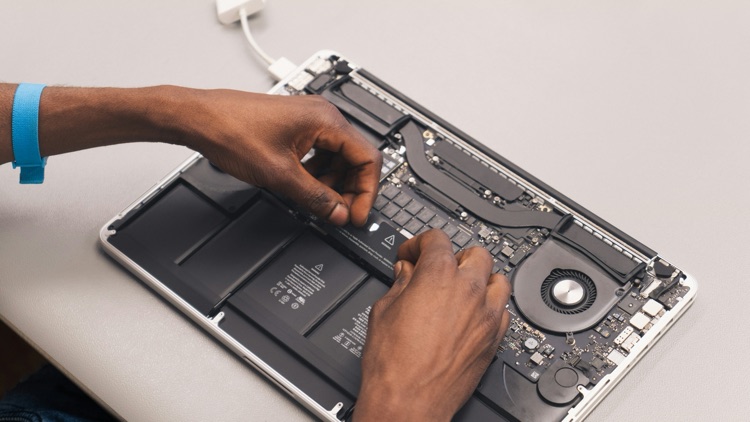
HP OMEN laptops are built for gaming and high-performance work, so battery wear is not unusual after years of use. Short runtime, sudden shutdowns, charging warnings, or a battery that no longer holds charge may lead users to look for a replacement. OMEN batteries are not universal. Different generations and chassis sizes can use different battery packs.
If you are searching for a Battery for HP OMEN Series, start by identifying the exact laptop model and battery part number. Buying by the OMEN name alone is not enough.
Why OMEN Battery Matching Is Specific
HP OMEN laptops include different model years, screen sizes, motherboard layouts, and battery designs. An OMEN 15 and OMEN 16 may not use the same battery. Even two laptops with similar names can use different packs depending on production year and configuration.
Common battery codes mentioned in the market may include SR04XL, TE04XL, WK06XL, and others, but these codes are not interchangeable by assumption. The correct code must match the laptop.
Diagnose the Problem First
Before ordering, check battery health. HP Support Assistant, BIOS diagnostics, Windows battery report, and official HP support tools can help identify whether the battery is failing. A gaming laptop may drain quickly under load even with a healthy battery, so runtime alone is not always proof of failure.
Also check charger behavior. OMEN laptops often need higher-wattage adapters. If the charger is wrong, damaged, or underpowered, charging problems may appear to be battery problems. If the laptop shuts down under gaming load, heat, power settings, or adapter issues may also be involved.
Find the Exact Model and Battery Code
Look for the full HP product number, serial number, and model name. HP support pages can use this information to identify parts. The original battery may also have a spare part number printed on it. If the battery is internal and you are not comfortable opening the laptop, ask a repair technician to identify it.
When comparing replacement listings, check:
- OMEN model and generation
- HP product number
- Battery code
- Voltage
- Capacity
- Connector type
- Physical shape
- Screw positions
If any of these do not match, ask the seller before ordering.
OEM vs Aftermarket Options
Official HP resources are the safest compatibility reference. OEM batteries may cost more, but they reduce uncertainty when available. Aftermarket batteries can be less expensive and easier to find for older models, but buyers should compare seller reputation, warranty, return policy, product photos, and compatibility details.
Do not choose only by price. A low-cost battery that does not fit or fails quickly is not a saving. A reliable listing should clearly show compatible model numbers and battery codes.
Runtime Expectations for Gaming Laptops
Gaming laptops are power-hungry. Even a new battery may not provide long runtime during gaming, rendering, or heavy GPU use. Many OMEN users should expect the best performance when plugged into the correct adapter.
A replacement battery can restore normal portable use for browsing, office work, and light tasks, but it will not make a gaming laptop behave like an ultraportable notebook. Set expectations based on workload.
Installation and Safety
Many OMEN batteries are internal. Replacing them may require removing the bottom cover, disconnecting the battery cable, and handling delicate internal parts. If you are not comfortable with this, use a qualified technician.
Before installation, shut down the laptop and disconnect the charger. Do not use sharp metal tools near the battery. Do not bend, puncture, compress, or continue charging a swollen battery. If the old battery is swollen, stop using the laptop and handle it carefully.
After installation, charge the battery fully and follow HP or seller guidance. Battery percentage readings may need a few cycles to stabilize.
When Replacement Is Worth It
Battery replacement is usually worthwhile if the OMEN laptop still performs well, the display and keyboard are in good condition, and the cost is reasonable. It may not be worthwhile if the device has major motherboard, GPU, charging port, or cooling problems.
For gamers, replacing the battery may restore portability and prevent sudden shutdowns, but it should be paired with a healthy charger and clean cooling system.
Buying Checklist
Before buying, confirm:
- Exact HP OMEN model
- Product number or serial reference
- Original battery code
- Voltage and capacity
- Connector and shape
- Warranty and return policy
- Installation plan
- Safe battery condition on arrival
Final Advice
Finding the correct battery for an HP OMEN Series laptop is a model-specific task. Use official HP resources where possible, verify the battery code, and compare third-party listings carefully. A safe replacement starts with correct identification, not guesswork. If the laptop has a swollen battery or internal replacement feels risky, use professional repair support.